Plans, usage, billing, and invoices
Understand plans, how many people each one holds, Vault access, the launch price, usage, and subscription changes.
Review plan and usage
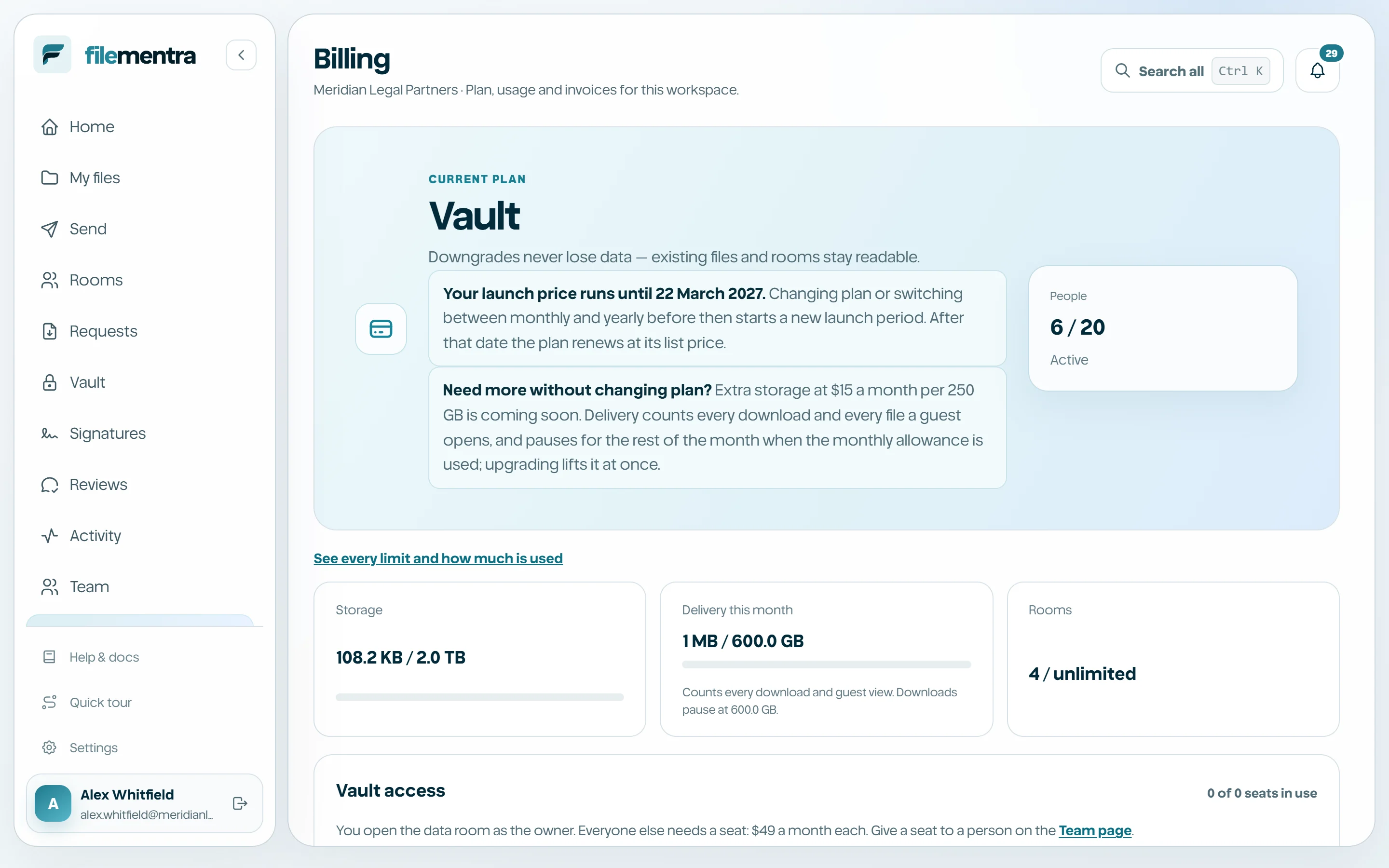
Billing shows the active plan, included entitlements, usage for the current period, and available plans. Entitlements determine whether selected product surfaces or limits are available; hiding a button is not the security boundary, so the server checks them again.
People, prices, and what a plan holds
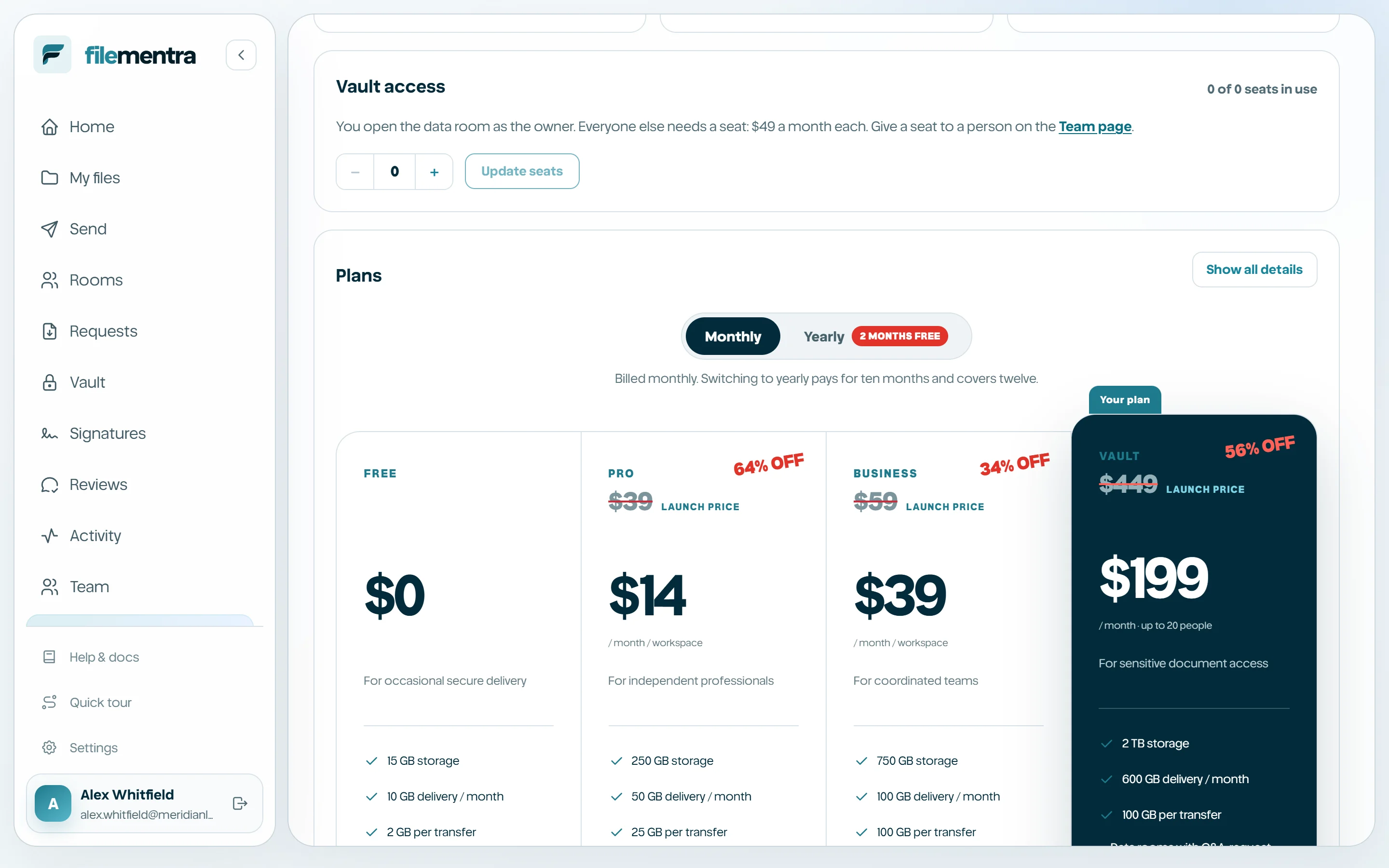
Every paid plan is one price for the whole workspace. The price on the pricing page is the price charged; it does not grow with the number of people. Free is for one person, Pro holds up to 2 people, Business up to 5 sharing one storage pool, and Vault up to 20 sharing 2 TB.
Everyone counts toward that number while they belong to the workspace: active members, suspended members, and invitations that have not been accepted or revoked yet. When the plan is full, Invite person explains why and links to Billing. Revoking a pending invitation or removing a member frees the place.
A year costs the same as ten months, at the launch price and at the list price alike.
- Free: 1 person.
- Pro: up to 2 people.
- Business: up to 5 people, 750 GB storage, 100 GB delivery a month.
- Vault: up to 20 people, 2 TB storage, 600 GB delivery a month.
Vault access for team members
On the Vault plan the workspace owner can open the data rooms as part of the plan price. Anyone else in the workspace keeps using files, Shared spaces, Rooms, and requests as usual, but needs Vault access before they can see or work in a Vault.
Vault access is $49 a month or $490 a year for each person beyond the owner. An owner or admin turns it on per person with the Vault access switch on the Team page. If every paid Vault access place is in use, the switch explains that another one is needed. Turning access off frees the place for someone else.
Vault is bounded so it stays a controlled data room rather than a mass distribution tool: up to 15 active Vaults, 50 active guests in each Vault, and 150 active guests across the workspace. Archived or closed Vaults and expired guests do not count.
Monthly delivery
Delivery is what leaves FileMentra: every download from a transfer, share link, Room or Vault, and every file a Room or Vault guest opens. It is counted each time, so a transfer downloaded by ten people counts ten times. Billing shows how much has been delivered this month against the plan's allowance.
Owners and admins are notified at 80% and again when the allowance is used. At that point downloads for recipients and guests pause for the rest of the month. Upgrading the plan lifts the pause straight away, because the new plan's allowance applies at once.
Members opening and downloading their own workspace's files, and signers reading or downloading agreements, are counted but never paused.
- Free: 10 GB a month.
- Pro: 50 GB a month.
- Business: 100 GB a month.
- Vault: 600 GB a month.
Launch price
While FileMentra is new, every paid plan starts at a launch price below its list price. On monthly billing the first six payments are at the launch price and the list price applies from the seventh. On yearly billing the first year is at the launch price and the list price applies from the second.
Changing plan, up or down, or switching between monthly and yearly while the launch price still runs starts a new launch period from that day: six months on monthly billing, a year on yearly. Once a launch period has ended, changing plan does not bring it back. Billing shows the date your launch price runs until.
Manage the subscription
High-impact billing changes may require password step-up. Review effective timing, limits, and feature impact before confirming. Invoices remain available according to provider and workspace policy.
- Use a billing-authorized account.
- Confirm the workspace before changing a plan.
- Review downstream effects on Vault and limits.
- Keep invoice exports in an approved financial system.