Create a secure transfer
Choose clean files, select a delivery method, and issue a controlled recipient experience.
Choose files
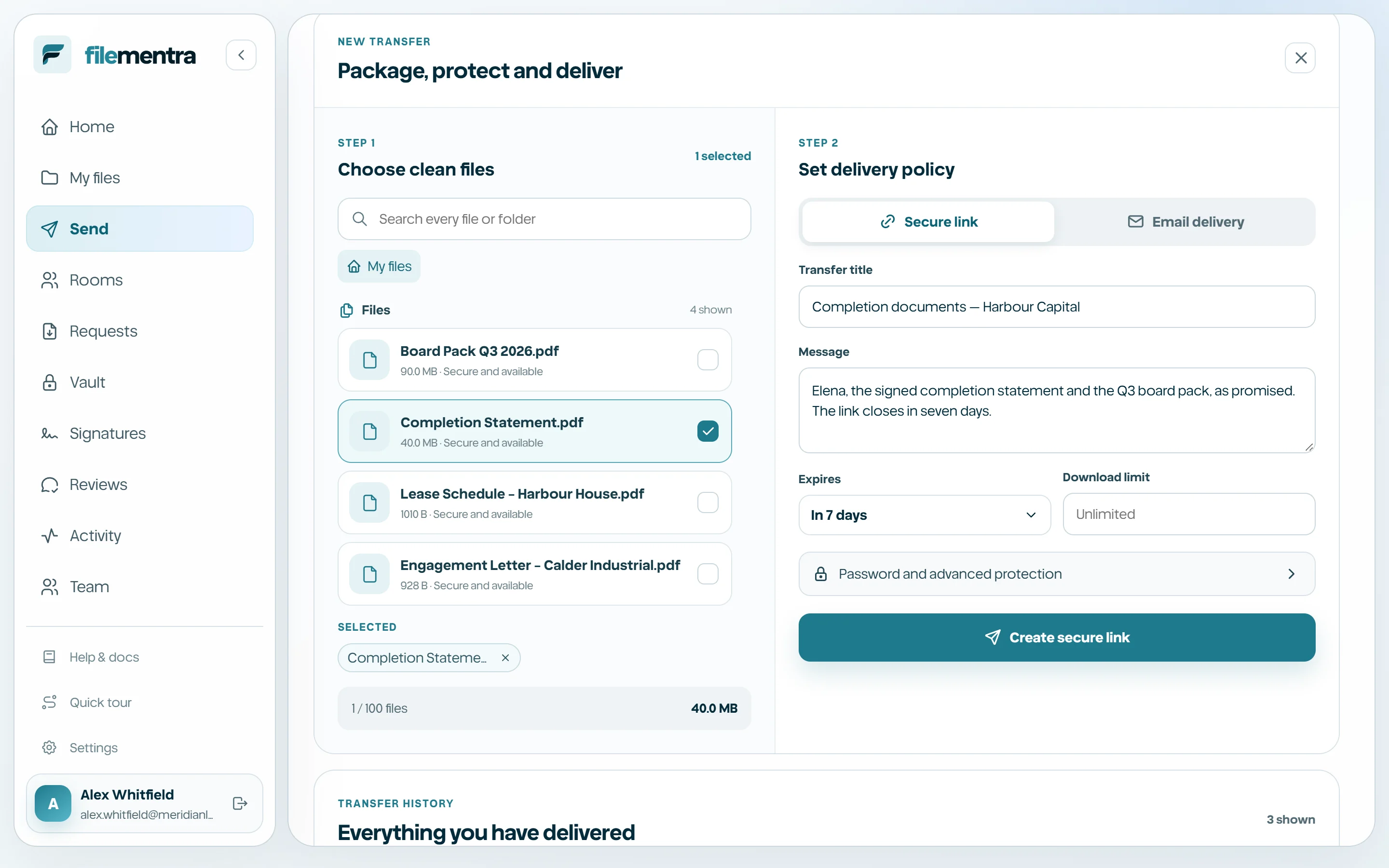
Create transfer can use already-clean Drive content or newly selected files after they finish secure processing. The Drive picker supports search, folders, breadcrumbs, and multi-selection so the transfer references the correct versions.
- 1
Open Send and choose Create transfer.
- 2
Select clean files or upload new ones.
- 3
Review file names, sizes, and count.
- 4
Remove accidental selections before continuing.
Set the delivery policy
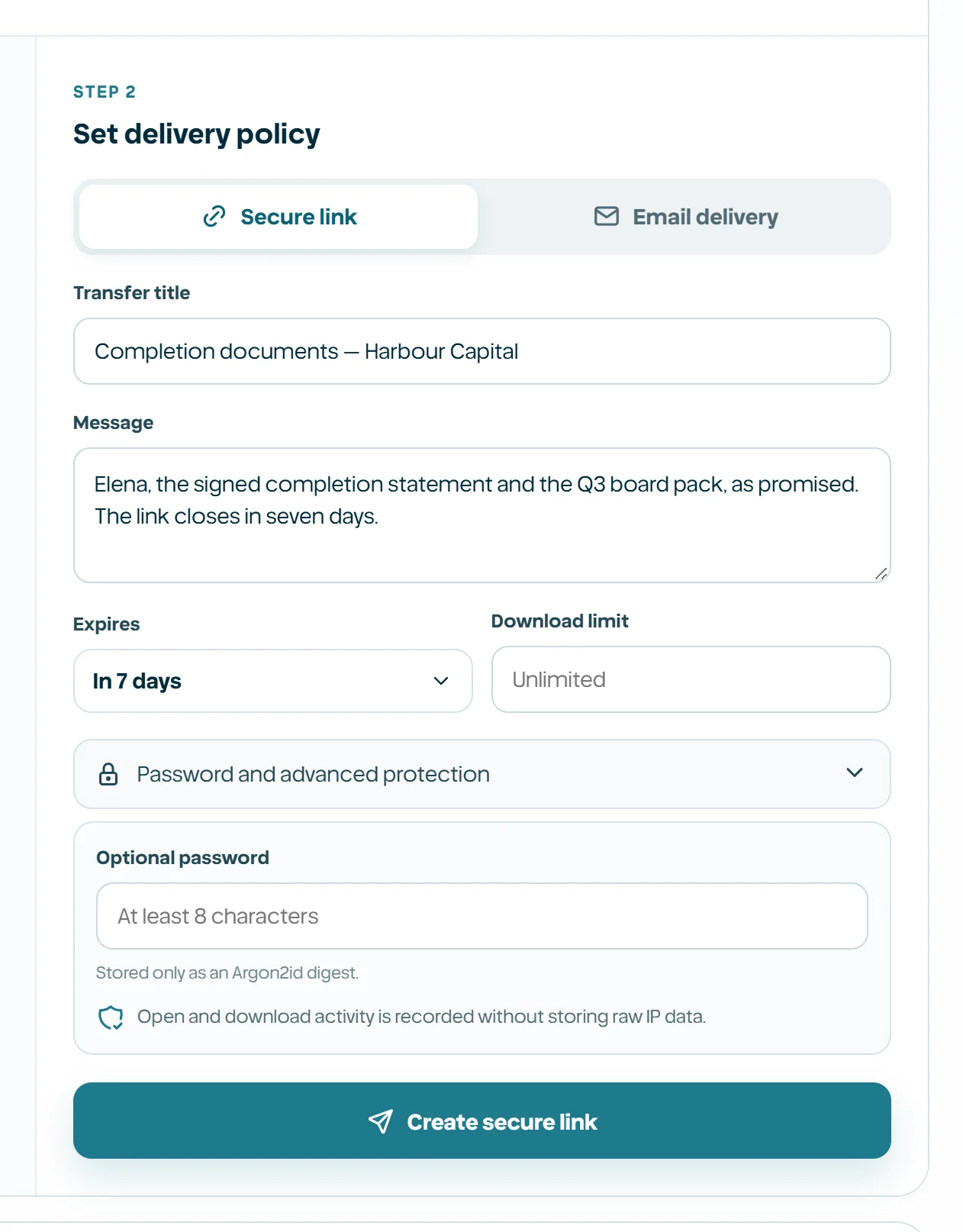
Choose email delivery when named recipients should receive the transfer, or a controlled link when you will distribute it separately. Add a recognizable title and optional note, then configure expiration, access limits, password, and any available recipient verification.
- Use the shortest practical expiration.
- Use named recipients for sensitive deliveries.
- Set an access limit when repeated downloading is unnecessary.
- Send the password through a separate trusted channel.
- Review every policy before creating the transfer.