
Groups, bulk loading and document numbers
Load a Vault from a folder on disk, keep the two sides of a deal apart, and give every document the number the agreement will cite.
Load a Vault from a folder
A diligence room starts life as a folder on somebody's machine, already arranged the way the deal team agreed. Choose that folder and it goes in as it stands: each subfolder becomes a Vault folder and every file is uploaded, scanned and copied into locked Vault storage.
Files pass through your Drive on the way, because a Vault document is a locked copy of a Drive file and there is no second route into storage. Each load puts them in one new Drive folder named after the Vault, so a large import does not scatter itself through your files.
- Up to 500 files in one go. Send a large room in a few passes rather than one.
- A file that fails to upload or is refused by the scanner does not cost you the rest of the batch. The panel says which ones, and they stay in your Drive so you can fix and add them.
- Subfolders come in as subfolders, three levels deep. Anything deeper is folded into the third level ("Signed / 2025") rather than lost.
- A Vault under legal hold accepts nothing new until you release it.
Guest groups
Real diligence has sides: two bidders who must not see each other's questions, their counsel, your auditors. A group decides once what that side of the deal can reach, and everyone invited into it inherits that. Deciding per person instead is how somebody quietly ends up with the wrong folder for the length of the deal.
A group can be narrower than the Vault and never wider. If the Vault has downloads off, no group can turn them on. That is checked when you save, not quietly ignored.
- 1
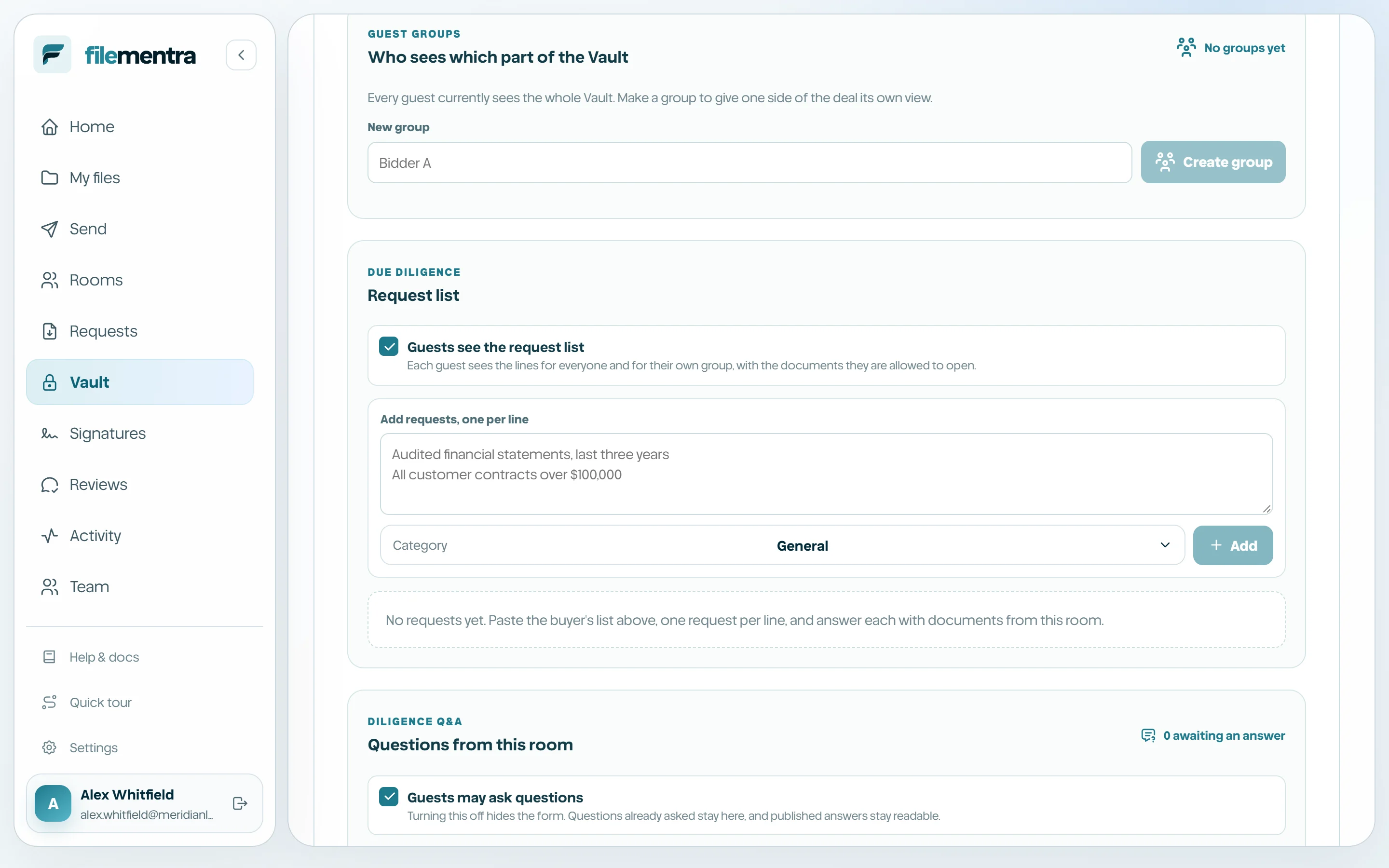
Create a group and name it after the side of the deal, not the person.
- 2
Choose whether it sees every folder or only the ones you tick.
- 3
Tighten downloads or printing for that group if it needs to be stricter than the Vault.
- 4
Paste the bidder's list of addresses and send every invitation at once.
Holding a group to its own network
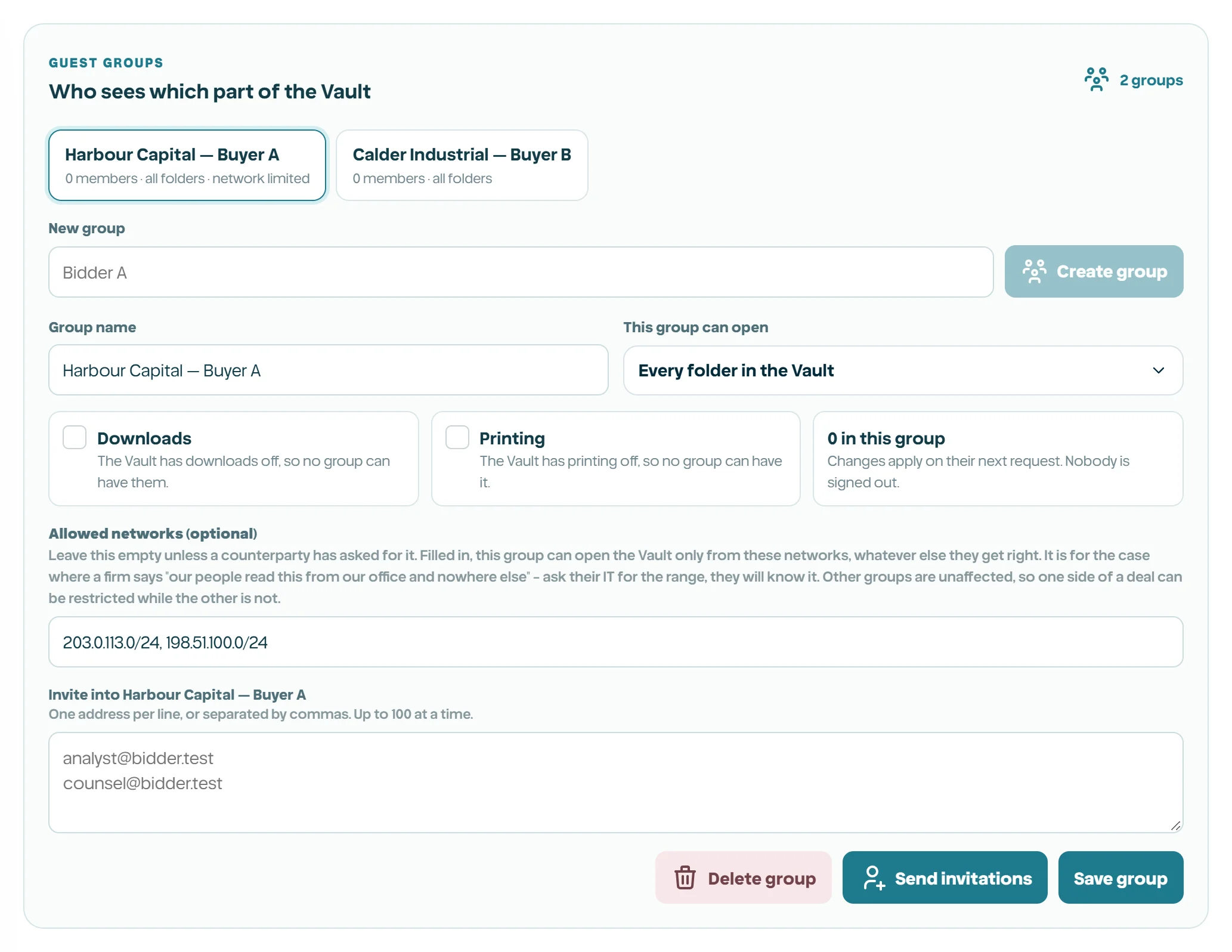
A group can optionally be limited to a list of networks. Filled in, the people in that group open the Vault only from those networks, whatever else they get right - the link, the code, the NDA. Left empty, which is how every group starts, the group is bound only by the Vault's own policy.
This exists for the case where a counterparty says their people read this from their office and nowhere else. Ask their IT department for the range: they know it, they keep it current, and they are used to being asked. It is per group so one side of a deal can be held to its office while the other side, working from three countries, is not touched.
- Unlike the code, this refuses rather than asking again. Somebody in that group working from home at the weekend does not get in, which is exactly what was asked for and worth saying out loud before you use it.
- A group can only be narrower than the Vault. If the Vault already has a network list, the group's list narrows it further and can never widen it.
- Write ranges, not single addresses: 203.0.113.0/24 for IPv4, 2001:db8::/32 for IPv6.
- The evidence report records which networks each group was held to, so an auditor can see it afterwards.
Document numbers
Diligence correspondence, disclosure schedules and the agreement itself all cite documents by number. Every document in a Vault carries one: folders are numbered in order, and a document in the second folder is 2.1, 2.2 and so on. Anything filed nowhere is numbered after the folders.
The number is worked out from where the document sits rather than stored against it, so it is always the number the room would show today. Moving a document or reordering folders renumbers, which is what every other data room does too.
- The deal team and the guest see the same number, so a question quoting 2.14 finds the right file.
- The evidence export lists every number against its document, so a report read a year later still resolves what 2.14 was.
- A guest whose group is narrowed counts against the folders they can see, so their numbering can differ from the room's. The Vault page shows the room's own numbering.