Transfer history and revocation
Track deliveries, inspect policy and access state, and revoke safely.
Review transfer history
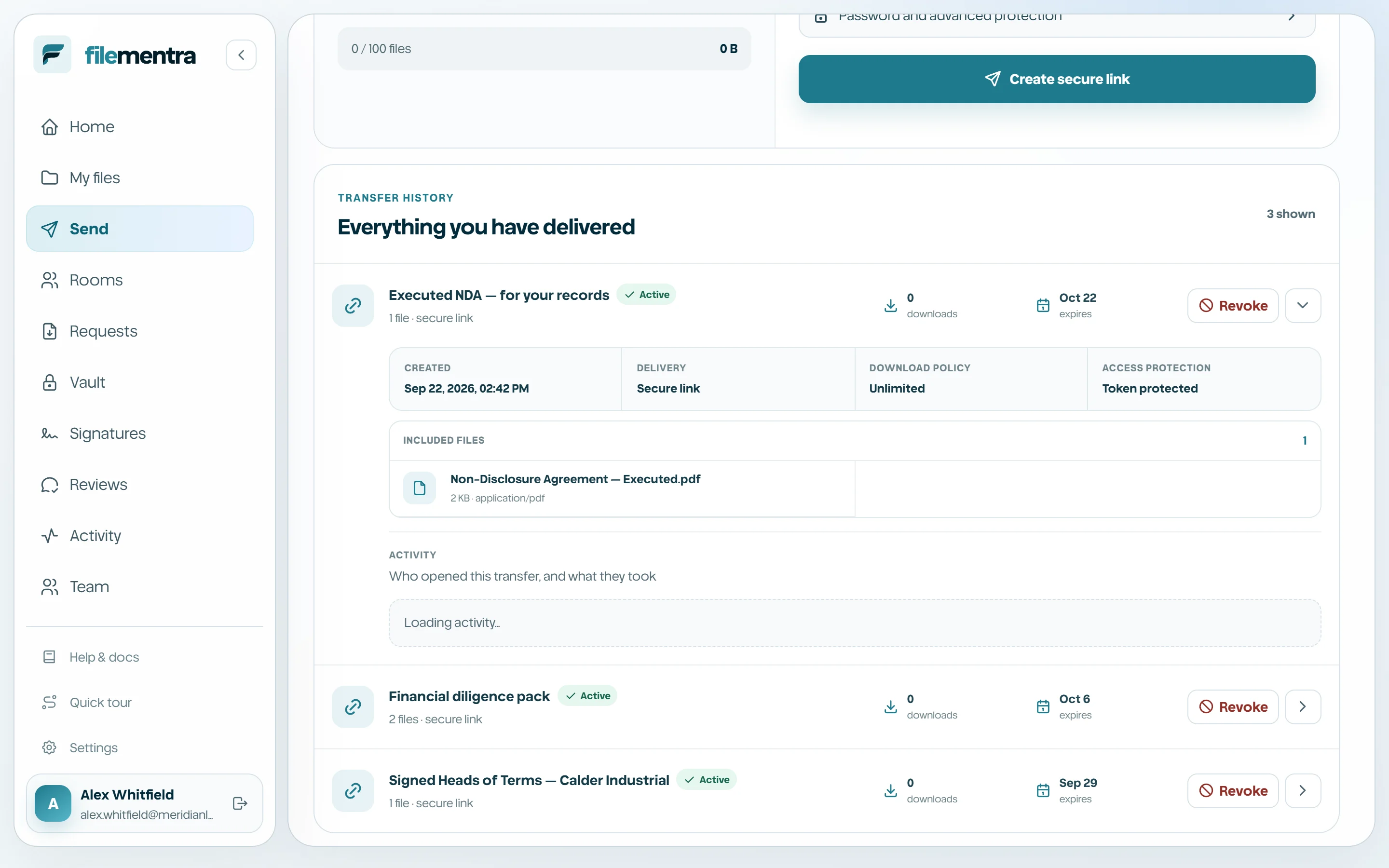
Everything you have delivered lists active, expired, revoked, and completed transfer records. Expand a row to review the content, recipients, creation time, expiration, and access state before taking action.
See who opened a transfer
Expanding a transfer shows its Activity report: which recipients opened it and which have not, when each first and last opened it, how many times each file was downloaded, and how long recipients typically took to open the link. Refused attempts appear too - a wrong password, an expired link, or an exhausted download budget - so a run of failures is visible rather than silent.
The report deliberately does not claim to know which pages of a document were read or for how long. Recipients of a Send link download files rather than reading them in the browser, so any such figure would be invented. Visitors who arrive without an invitation are counted as anonymous numbers; FileMentra stores only a one-way digest of their address and never discloses it.
- 1
Open Send and find the transfer.
- 2
Expand the row to reveal Activity.
- 3
Check which recipients are still marked Not opened yet before chasing them.
- 4
Treat repeated refused attempts as a signal to revoke and reissue.
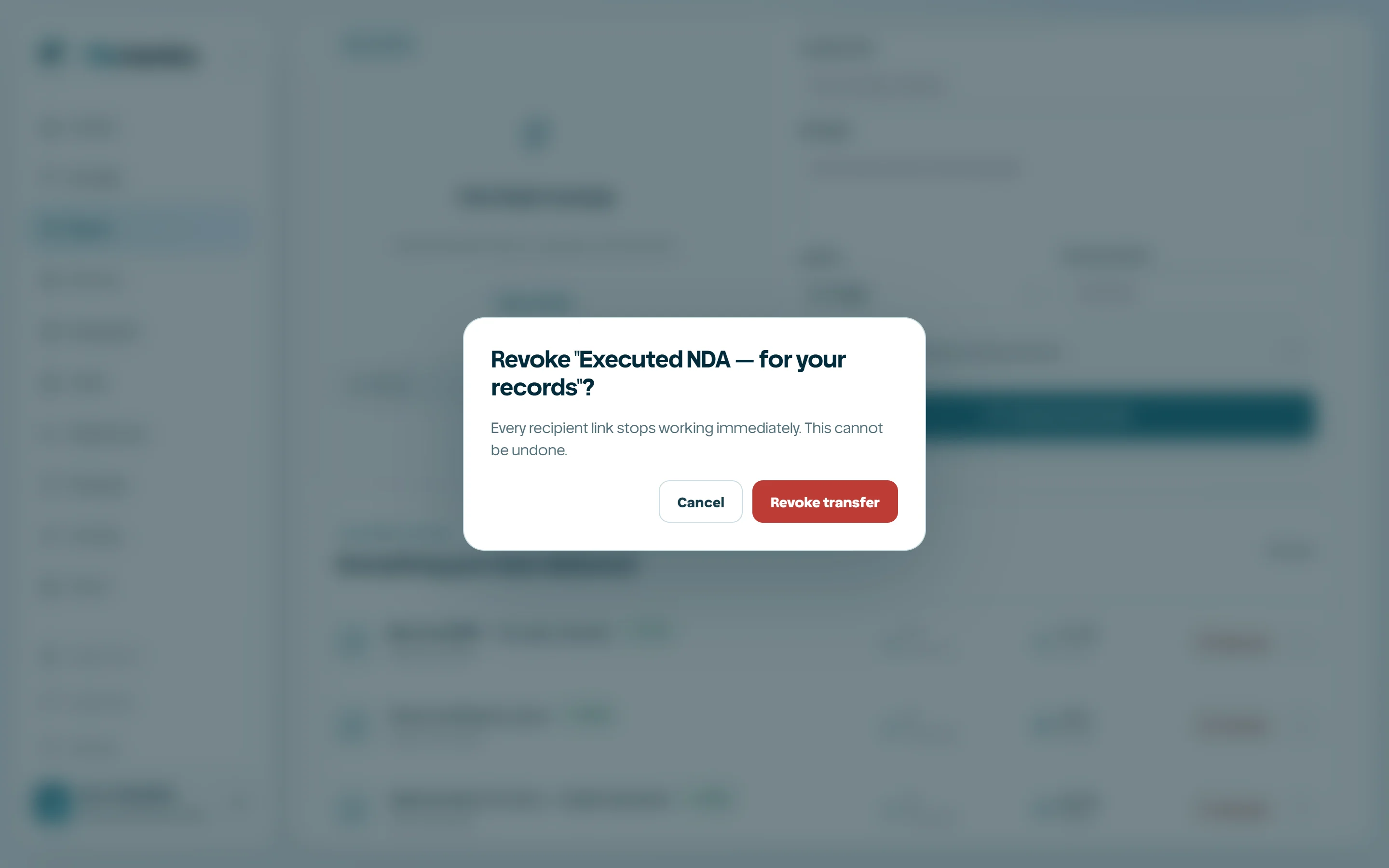
Revoke a transfer
Revocation blocks future resolution and download requests immediately. It cannot retract bytes a recipient already downloaded. Record a new transfer when access should resume; do not try to reuse a revoked credential.
- 1
Locate the exact transfer.
- 2
Open its details and verify recipients/files.
- 3
Select Revoke.
- 4
Confirm the warning.
- 5
Notify recipients through the appropriate business channel.