Create a file request
Build a collection checklist and issue a private upload path to a recipient.
Define the request
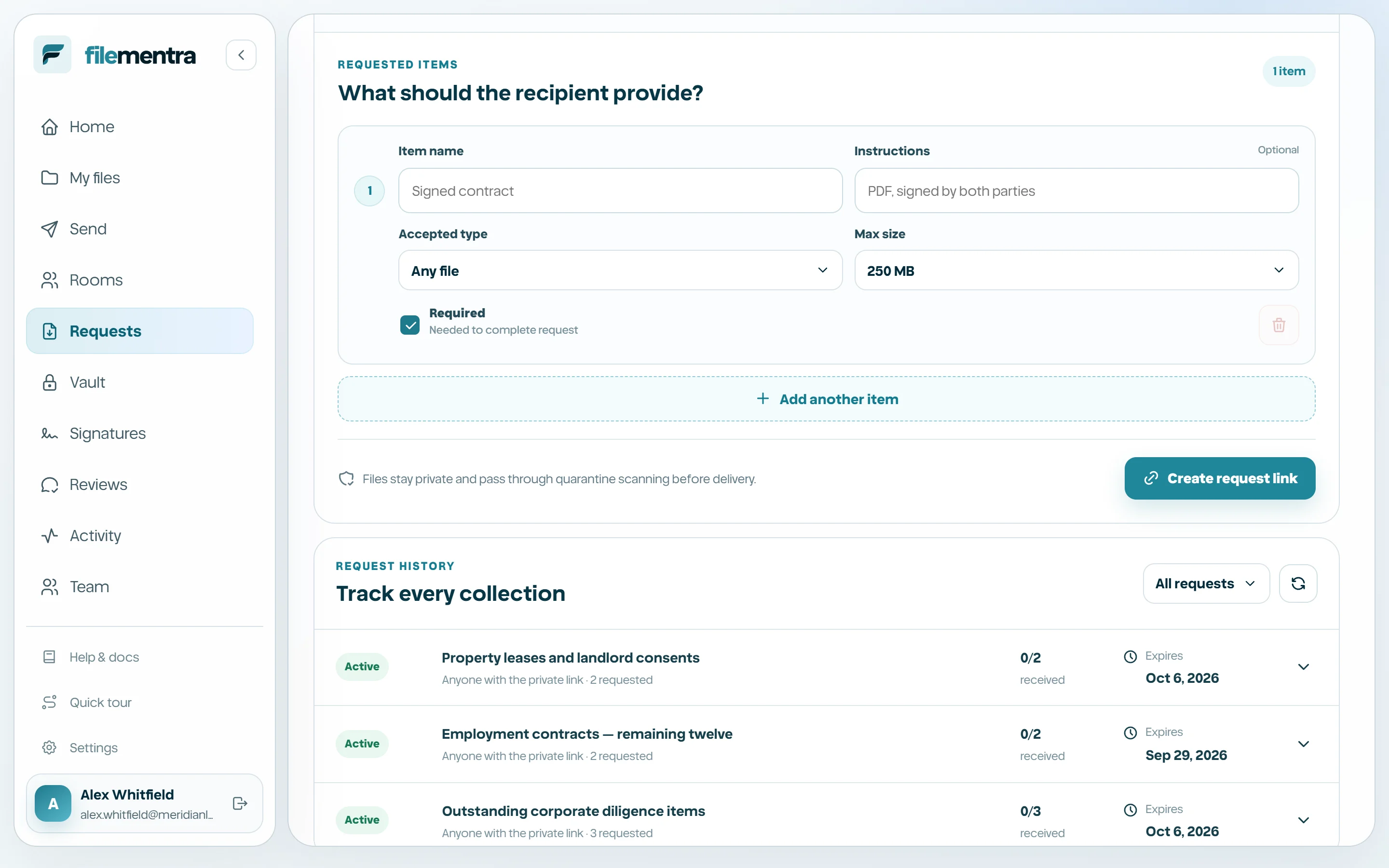
A Request collects files from someone who may not have a FileMentra account. Enter a clear title and message, optionally bind the request to a recipient email, select link expiry, and choose the Drive location that will receive accepted files.
- Recipient email enables identity binding and optional password protection.
- Link expiry controls how long the upload route can be opened.
- Submission deadline communicates and enforces the collection deadline; it cannot extend beyond link expiry.
- Accepted files still pass quarantine processing.
Build the requested-items checklist
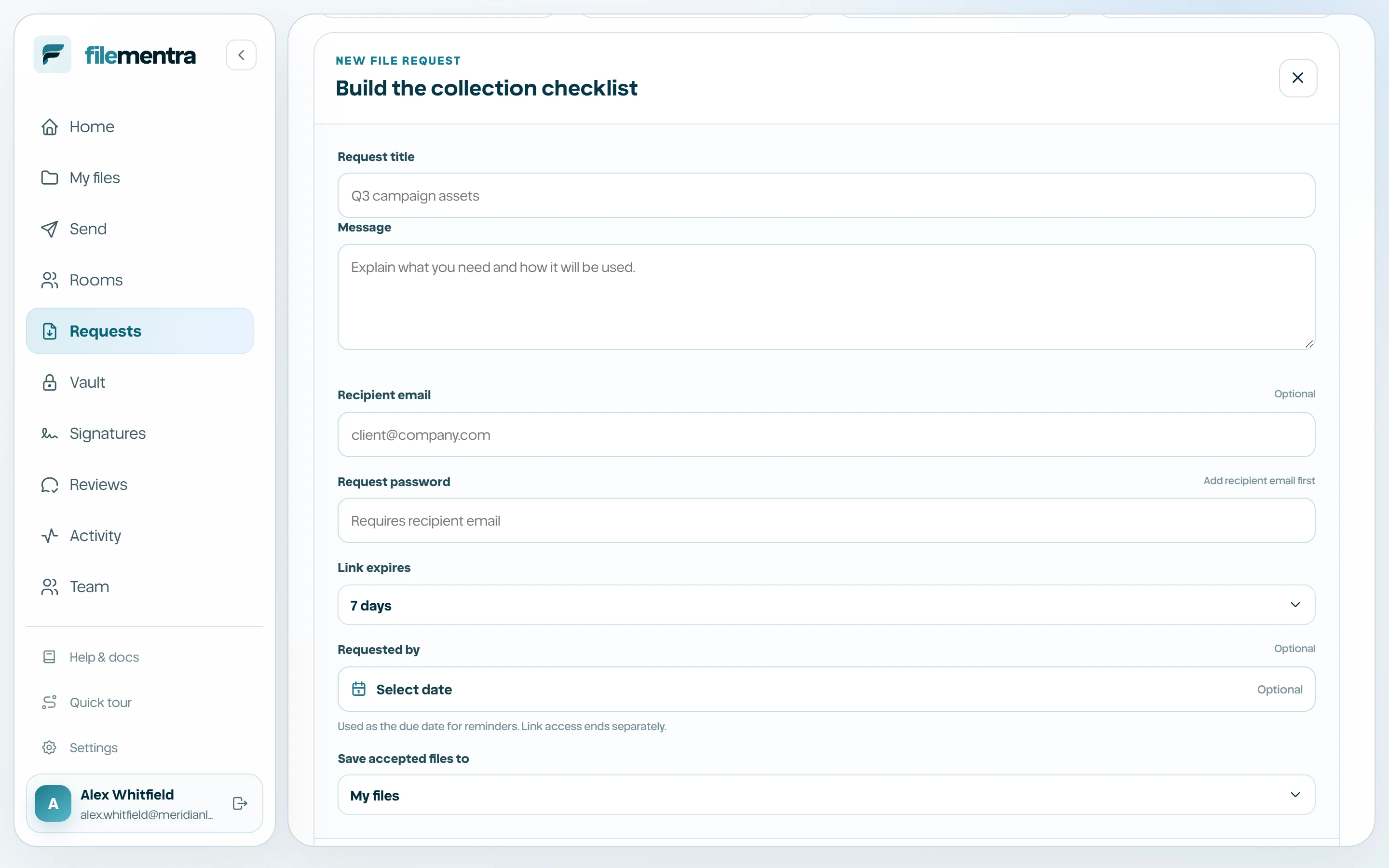
Each requested item describes one expected deliverable. Give it a distinct name, recipient instructions, accepted type, maximum size, and required/optional state. Use multiple items when each deliverable must be tracked independently.
- 1
Name the first deliverable.
- 2
Add concise instructions.
- 3
Choose accepted file type and maximum size.
- 4
Mark it required only when completion depends on it.
- 5
Add, reorder conceptually, or remove additional items before creating the link.