Shared spaces
Create a persistent shared collection and grant access to people or workspace roles.
Create a Shared space
A Shared space is the single persistent collaboration model in Drive. It can serve one person, a project team, or everyone holding a selected workspace role. Owners can see spaces they created as well as spaces granted to them.
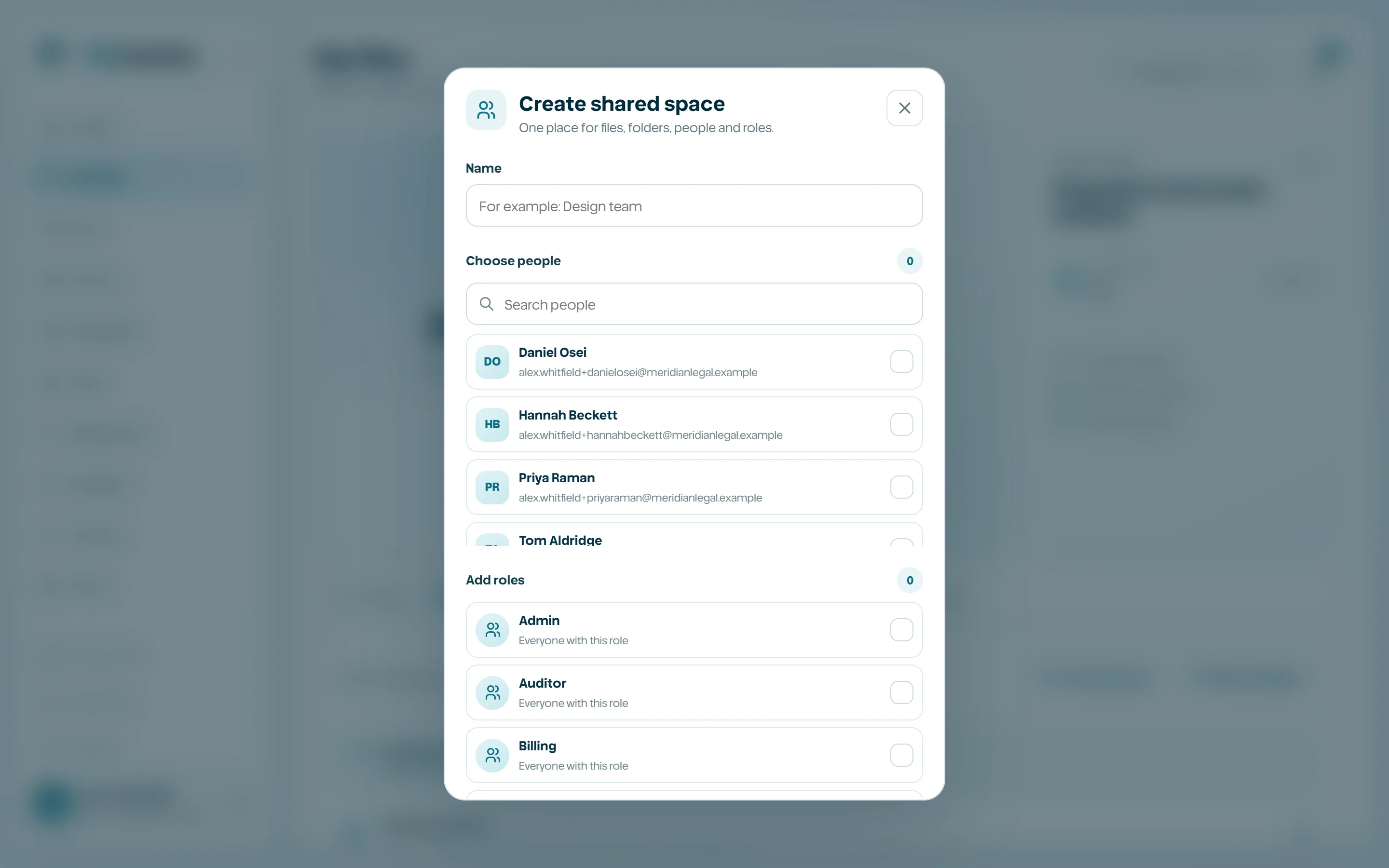
- 1
Open Shared spaces.
- 2
Select Create shared space.
- 3
Name the collection for its durable purpose.
- 4
Add people and/or roles.
- 5
Create the space, then add folders or files.
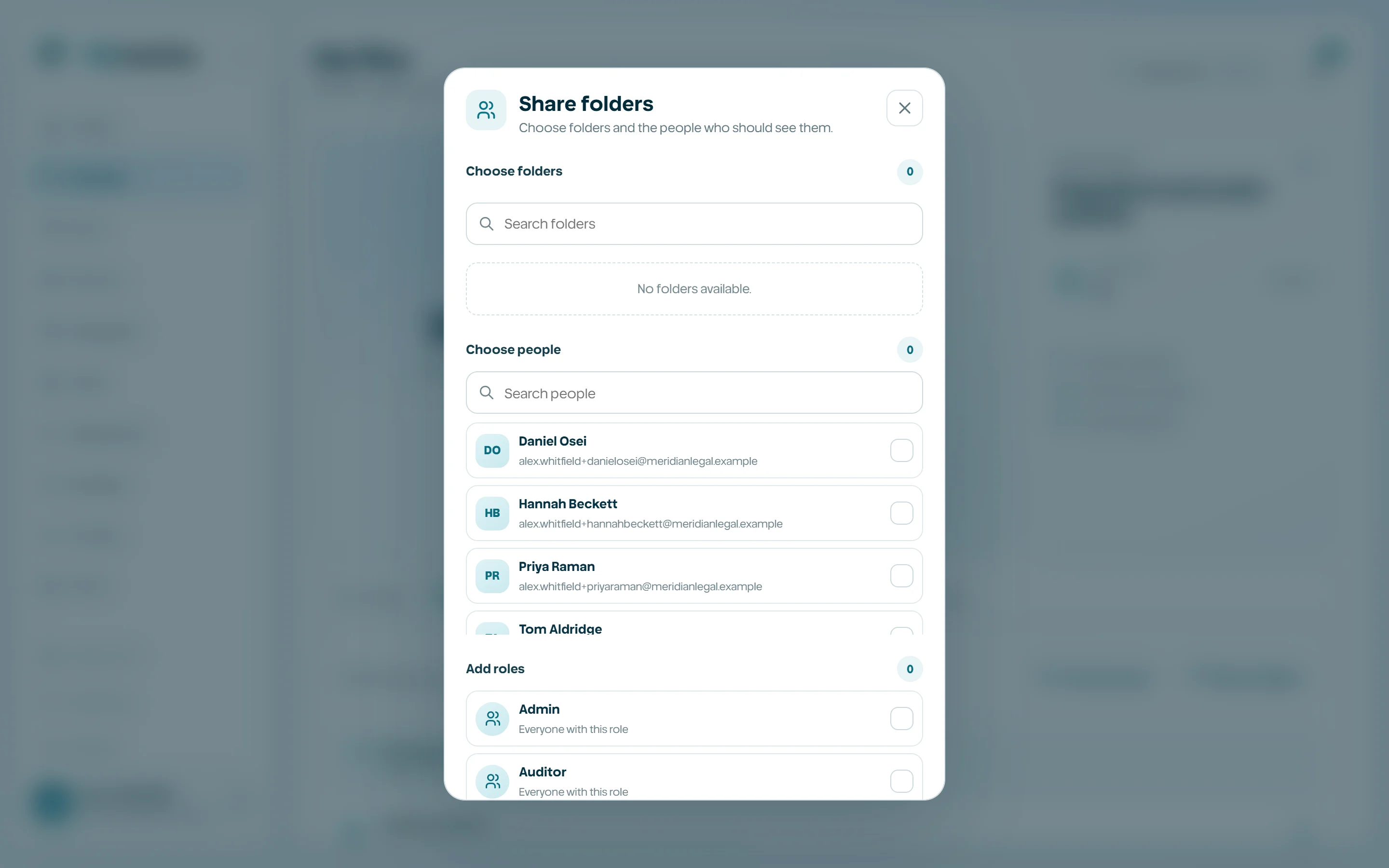
Manage people and roles
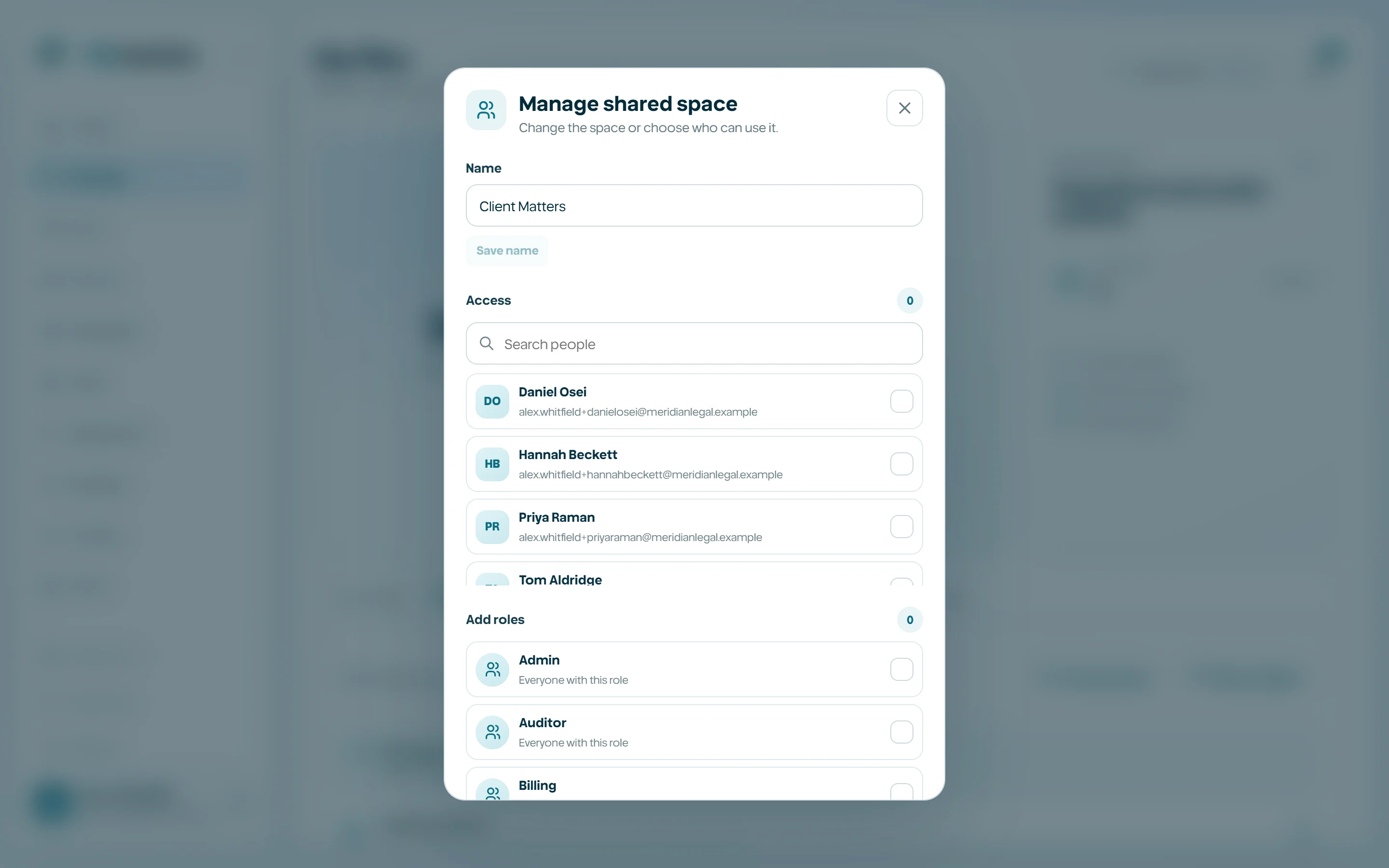
A direct person grant follows that member. A role grant automatically covers active members who hold the role. Removing a grant affects future authorization immediately; it does not erase audit evidence of prior access.
- Search people by name or email.
- Add multiple recipients before saving.
- Use roles for stable teams, not as a shortcut for overly broad access.
- Review the access summary before uploading sensitive content.
- Remove obsolete grants promptly.
Share files and folders from My files
Share with your team, in the menu of any file, and the Share icon on a folder put it into a Shared space you can edit, or a folder shared with you. Everyone with that space can open it, and it stays in your My files where it was, marked Shared with the space's name. Nothing is copied: it is the same file, with its versions, comments and history. Stop sharing in its menu takes it back into My files only.
To bring several things at once, select files in My files and choose Share, or open a Shared space and choose Add from My files. Move also lists Shared spaces next to My files.
- 1
In My files, open the file menu and choose Share with your team, or select the Share icon on a folder.
- 2
Choose the Shared space, or start a new one with the item and add its people.
- 3
Choose Share. The item appears in the space and stays in My files, marked as shared.