
Searching a Vault
Guests search names and the words inside documents, and land on the page the words are on.
What a search covers
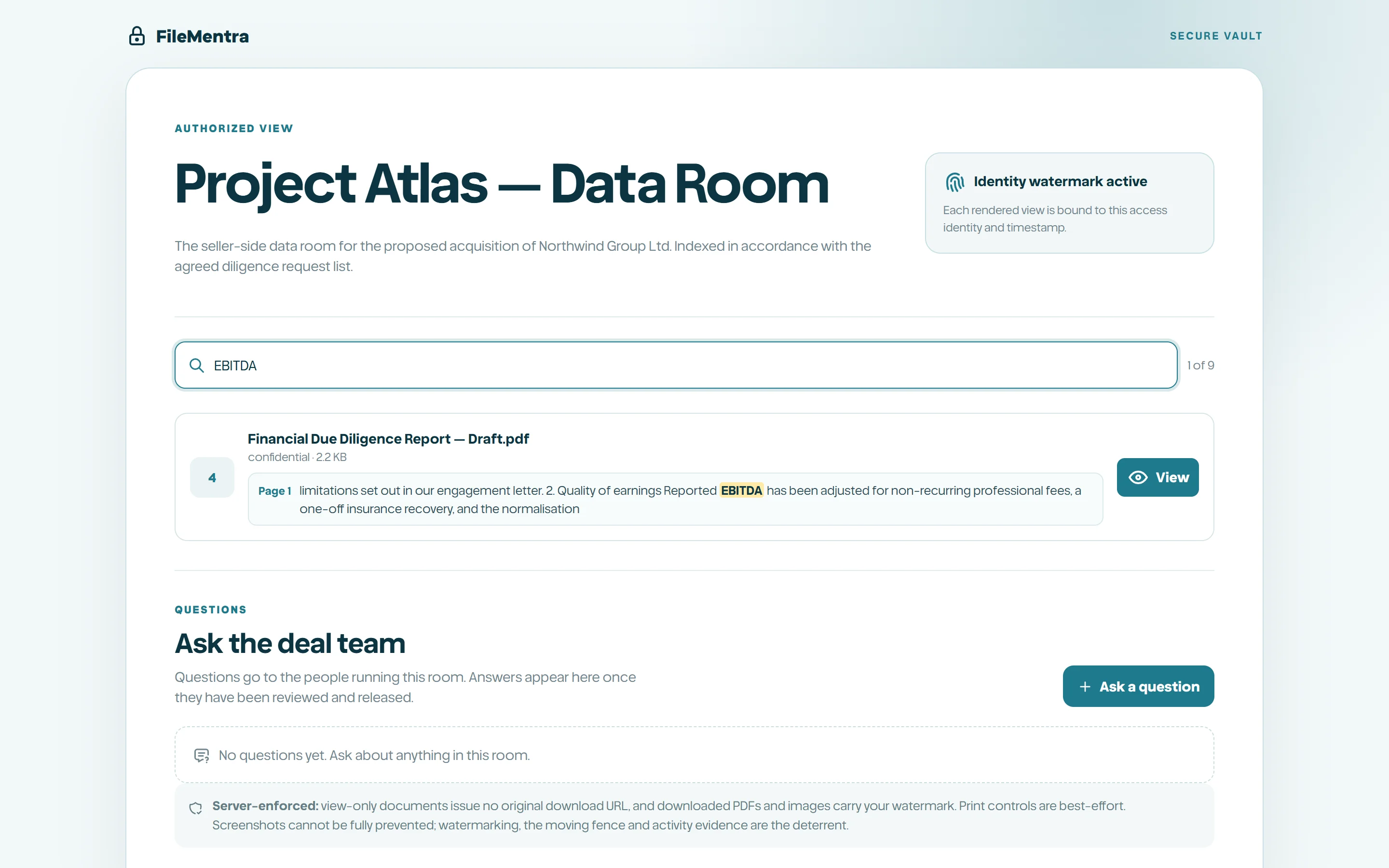
A guest types once and both halves answer. Names and folder names are matched in their browser, instantly, from the list they already hold. The words inside documents are matched by FileMentra, and every hit comes back with the page it is on.
Clicking a hit opens the document on that page rather than at the front, which in a two hundred page agreement is the difference between an answer and a hunt.
- Quotation marks search for a phrase: "change of control" finds those three words together.
- A minus sign excludes: indemnity -escrow.
- The search only ever reaches what the guest may already open. A group limited to certain folders is not told that a word exists elsewhere in the Vault.
- Nothing is searchable before the NDA is accepted, the same as the document list.
When a document is not searchable yet
Documents are read once, shortly after they are added, and a large import takes a few minutes to catch up. While that is happening the search says how many documents are still being read, so an empty result is never mistaken for an answer.
Scanned pages are photographs of text. FileMentra reads them with character recognition, so a signed agreement that came back from a scanner is searchable like any other document. Recognition is slower than reading a text layer, so a long scanned bundle takes longer to become searchable, and past forty scanned pages in one document the rest are reported as unread rather than ground through.