
Welcome to FileMentra
Understand the product, its security model, and the fastest path to your first secure workflow.
What FileMentra does
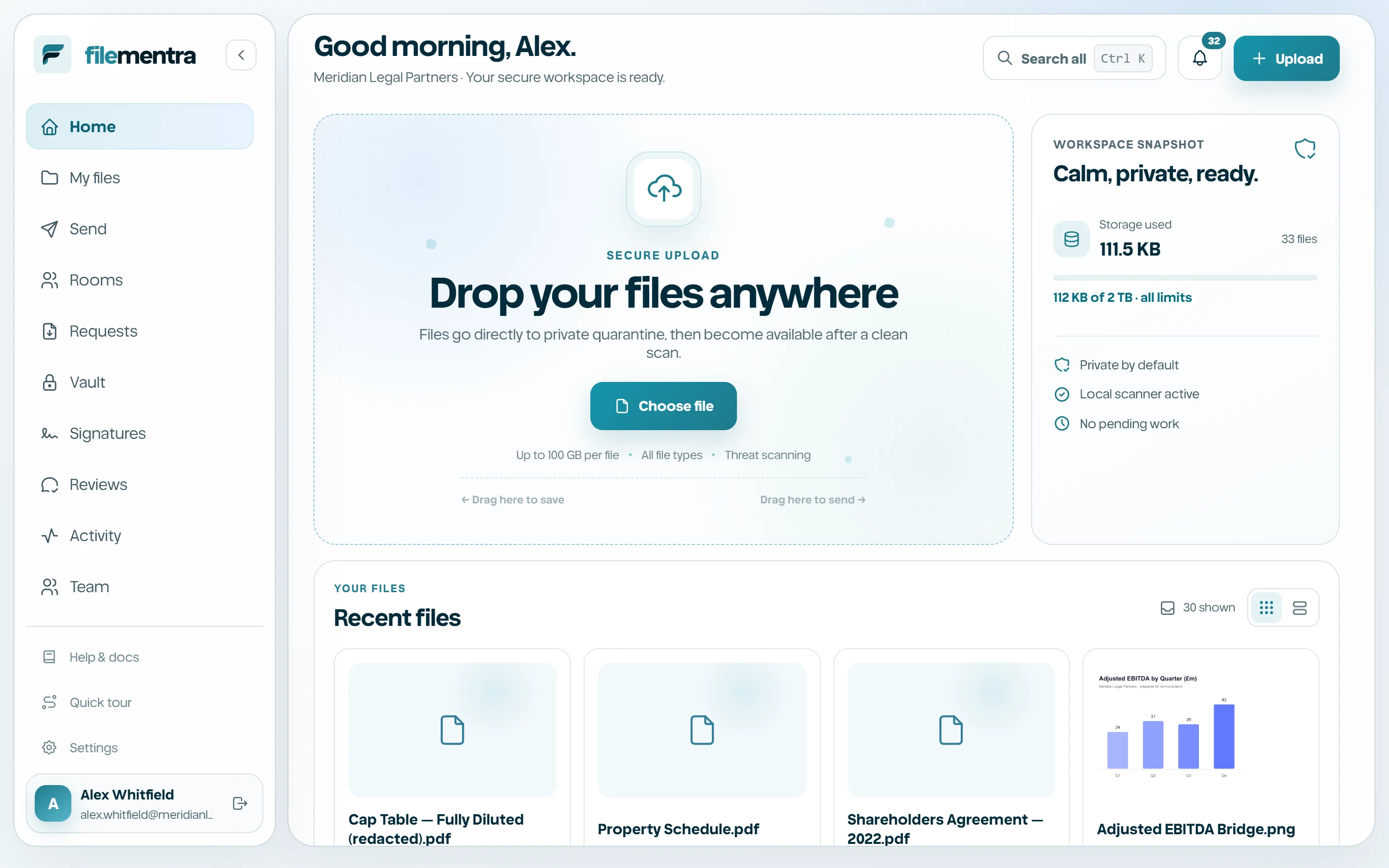
FileMentra is a private workspace for storing, sending, collecting, reviewing, and presenting sensitive business files. It combines a secure Drive with controlled delivery links, recipient upload requests, project Rooms, review workflows, and Virtual Data Rooms.
Files are private by default. Uploads enter quarantine, pass integrity and malware checks, and become available only after the processing pipeline marks them clean. Access is then granted by workspace membership, a scoped share, or a short-lived recipient session.
- My files keeps personal workspace content organized and versioned.
- Shared spaces gives selected people or roles persistent access to a controlled collection.
- Send delivers files through expiring, revocable recipient links.
- Requests collects a defined checklist of files from someone else.
- Rooms create a project area, in its own colour, with internal and external visibility.
- Vault provides NDA-gated, watermarked, evidence-backed document access, including diligence Q&A.
- Signatures collect legally meaningful electronic signatures on a PDF with a full evidence trail.
Recommended first run
Use this order when evaluating a fresh workspace. It establishes identity and recovery first, then introduces the everyday file workflow before advanced recipient experiences.
- 1
Create and verify your account.
- 2
Complete your profile and enable two-factor authentication.
- 3
Upload a harmless test file and wait for the clean status.
- 4
Create a folder and inspect grid, list, preview, download, and version actions.
- 5
Invite a trusted test member and create one Shared space.
- 6
Create a test Send, Request, Room, Review, and, when enabled, Signatures and Vault.