Guest identity check and fence view
Make the invitation link stop being a credential, and keep a page unreadable to anyone who is not the person in front of it.
The identity check
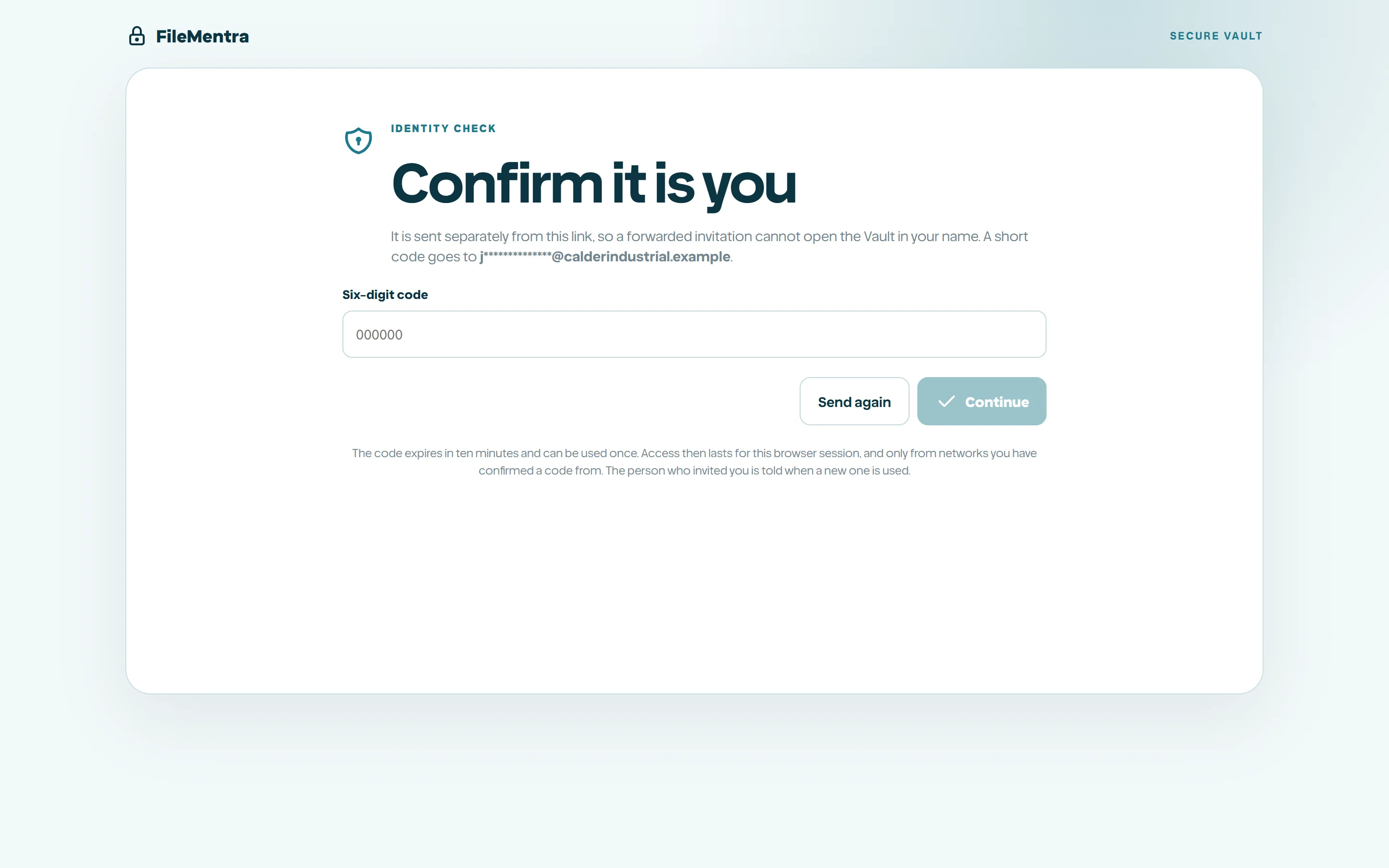
An invitation link is easy to forward and easy to leave sitting in a shared inbox. With the identity check on, holding the link is no longer enough: before the Vault opens, FileMentra emails a six-digit code to the address the guest was invited at, in its own message. Whoever the invitation was passed on to never receives that code.
Until the code is confirmed the guest sees nothing at all - not the document list, and not the name of the Vault, because in a live deal the name of the room is usually the name of the deal. All they are shown is a masked version of the address the code went to.
- The code expires after ten minutes and works once.
- Six wrong attempts burn the code, and a new one has to be requested.
- A confirmed code buys a session that lasts twelve hours in that browser tab only. It is never put in a link and never emailed.
- Revoking the guest or the Vault ends the session immediately, the same as it ends the link.
- Every challenge, confirmation and failure is written to the audit log and appears in the Vault evidence report.
When a guest appears from somewhere new
A confirmed code buys a session, and a session copied off somebody's machine would otherwise work from anywhere until it expired. So the session is tied to the networks that guest has confirmed a code from. Arriving from one of those is ordinary. Arriving from anywhere else asks for a fresh code instead of refusing, which is the difference between a guest whose home address changed overnight losing a minute and losing an afternoon.
It is a network rather than an exact address, so an address renewed within the same connection is not treated as a move. Only a real change of place is.
- You are emailed when a guest you invited confirms a code from a network the Vault has not seen them on before. So is the guest, because they are the only person who knows whether it was them.
- The message says a new network was used and when. It never carries an address, because none is stored - only a one-way digest used for comparison.
- If it was not them, revoke that guest. Their link and their session stop working immediately.
- The ten most recent networks per guest are remembered, so somebody who travels confirms a few times and is then left alone.
Fence view
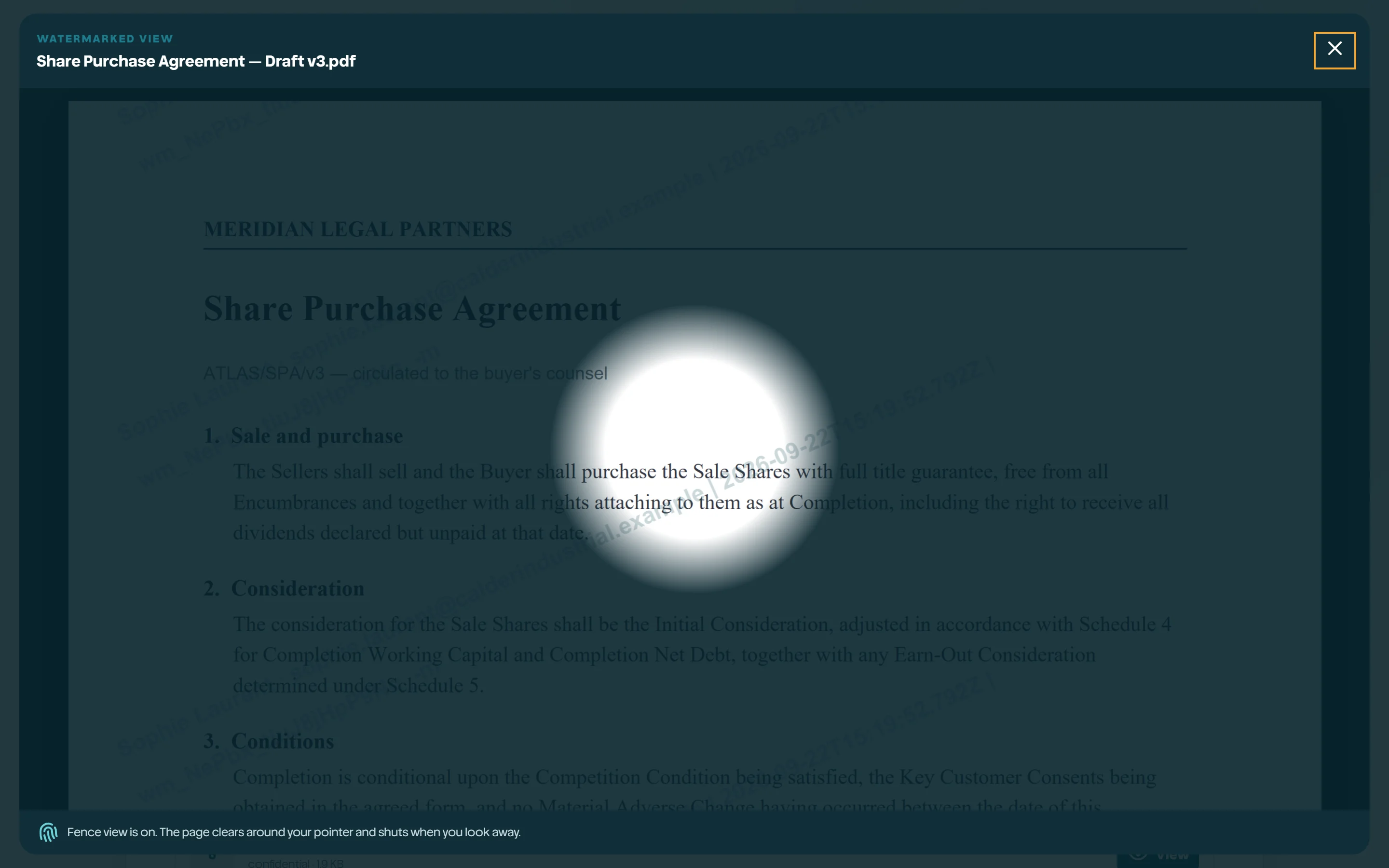
Fence view covers the page and clears only a small window that follows the pointer. It makes a phone photograph of the screen almost useless and it stops a page being read over a shoulder, because only the line under the cursor is legible at any moment.
Move away from the document, switch tabs, or leave the browser, and the window shuts completely. A Vault left open on an unattended screen shows nothing.
- PDFs are rendered page by page by FileMentra rather than handed to the browser viewer, which is what lets the fence follow the pointer and what turns each page turn into a recorded event with the time spent on it.
- Fence view is a deterrent, not a guarantee. A determined person with a camera can still capture what is on screen; the watermark and the page-level record are what make that traceable.
- It is off by default, because it changes how a document reads. Turn it on for the rooms where it is worth the trade.